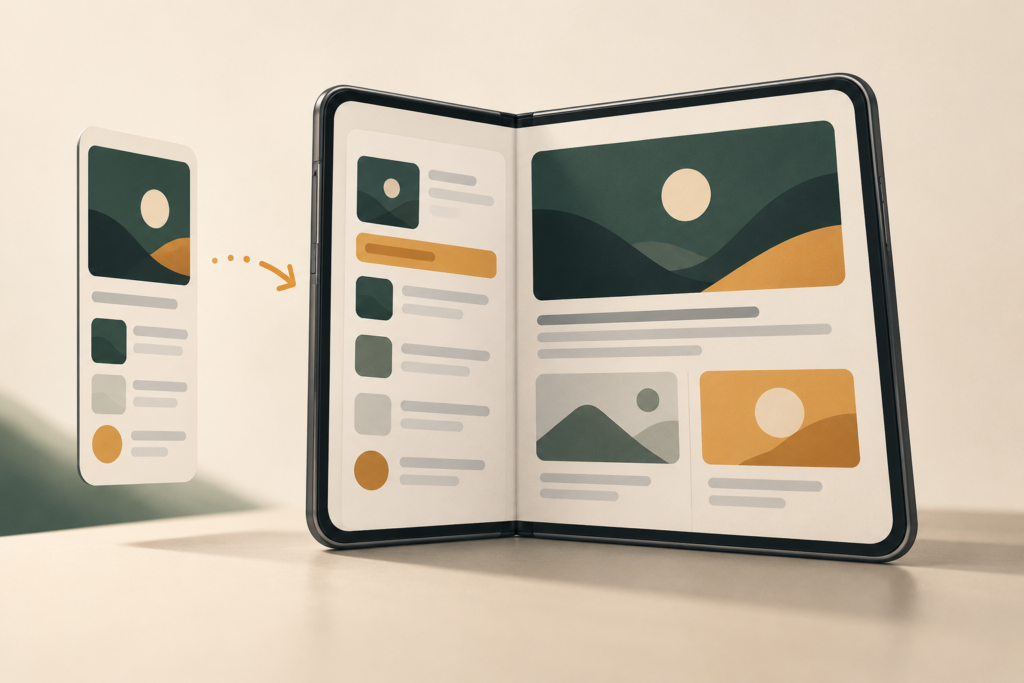
Apple’s first folding iPhone goes on sale Friday, October 23, and the company wants buyers to know that third-party apps are coming along for the ride. In an October 22 announcement, Apple showed off new experiences for streaming, work, video editing, games, and everyday errands. It also introduced a “Made for iPhone Duo” badge to help people spot apps designed for the device.
That is encouraging, but it doesn’t mean your entire Home Screen will suddenly behave like a miniature iPad. On launch day, there’s a meaningful difference between an app that runs on the $1,999 iPhone Duo, one that fills its unfolded display, and one that has actually been redesigned to exploit the fold. Knowing which kind you rely on matters more than the length of Apple’s developer showcase.
Most iPhone apps will run. They won’t all look right.
The iPhone Duo ships with iOS 27.1, but the important number for an individual app is the software development kit, or SDK, used to build its current version. The phone’s operating system cannot automatically turn an old, fixed-layout app into a two-pane workspace. Apple’s developer instructions distinguish three common outcomes when the device is opened.
- Built with the iOS 26 SDK or earlier: The app runs in a familiar-sized area surrounded by unused space on the inner display. It may still accomplish the task you need, but buying a larger screen won’t make that particular app larger or more useful.
- Built with the iOS 27 SDK: The app can resize to occupy most of the inner display, although it leaves a strip at the right for the status bar. Reading and scrolling can feel less cramped, even if the developer hasn’t created any special folding features.
- Built with the iOS 27.1 SDK or later: The app can extend across the full display and use the Duo’s vertical navigation and toolbar arrangement. Developers can go further with layouts that respond to the hinge angle, change columns as the phone opens, or put different content on different parts of the screen.
This isn’t simply a matter of downloading iOS 27.1 onto your current iPhone, either. A developer has to ship a suitably built app, and a full-screen layout still needs to handle the Duo’s unusually wide, short outer display, screen rotation, and partially folded positions. Apple’s standard SwiftUI and UIKit components can adjust navigation automatically, but custom interfaces may require additional work.
Early reviews show why that distinction matters. In its October 21 iPhone Duo review, 9to5Mac documented older apps sitting inside wide borders, newer apps covering most of the screen, and fully adapted apps using side-mounted controls. Some apps worked, but wasted much of the expensive inner display. The good news is that this picture can change with a single app update.
Which apps have verifiable launch-ready updates?
Rather than treating every name in Apple’s announcement as a confirmed day-one download, a better starting point is the developers’ own release notes. A few prominent examples already have published changes specific to iPhone Duo.
Things: Cultured Code released Things for iPhone 3.25 on October 21 and a follow-up fix on October 22. Its release notes describe layouts for closed, open, and partially folded use, a sidebar when unfolded in landscape, and the ability to open two Things windows to move tasks between lists. That isn’t just a bigger to-do list. It’s a practical reason to unfold the phone when planning a day and to close it again when checking off an item.
Fantastical: Version 4.2.3, released October 13, explicitly adds iPhone Duo support in Flexibits’ release notes. Apple describes calendars, tasks, and navigation appearing together on the inner screen. For someone regularly switching between a calendar view and event details, having both visible is more valuable than merely making the text larger.
MLB: The MLB App Store version history identifies version 26.18.3 as an iPhone Duo update, adding a redesigned tab bar and layouts for scoreboards and Live Activities that adapt to orientation. Apple’s demonstration goes further, showing a partially folded setup with a game above and stats below. It’s an especially useful reminder to check for fresh updates: 9to5Mac’s earlier review used an older MLB layout as an example of an app surrounded by empty space. The app’s status changed close to launch.
Apple also highlights Netflix, Prime Video, Zoom, Slack, Instagram’s Edits, and other major apps in its October 22 announcement. Those previews show what their developers are targeting, and Apple presents them as part of the launch experience. But the announcement does not provide a dated App Store version for each example, so it’s still worth confirming that the relevant update is available in your region and installed on your particular device.
What a genuinely adapted app adds
The clearest improvements aren’t necessarily dramatic animations when the hinge moves. They’re fewer trips between screens. Apple’s Netflix demonstration moves from browsing Clips on the outer display to watching on the inner one. Prime Video places the movie above X-Ray cast information when the phone is propped open. For baseball, the MLB layout can put the broadcast in one half and live statistics in the other. None of those interfaces is achieved just by stretching a standard phone screen.
Work apps have a different opportunity. Apple says Zoom can present shared material alongside call participants; Slack can show more of the workspace and conversations; and Fantastical can display several parts of a schedule at once. Instagram’s Edits is another revealing example: showing a video preview, timeline, and editing controls together reduces the back-and-forth that makes serious editing on a narrow phone frustrating. Whether a particular workflow is comfortable still depends on the controls and the available space, not just the screenshot.
There are smaller, more everyday uses, too. Apple’s preview of NYT Cooking puts a recipe and instructional material on a device propped up on a countertop; Flighty is designed to show a flight-tracking view when the Duo is propped up. Those are situations where the folding hinge can replace a separate stand. By contrast, an ordinary delivery or banking app may be perfectly acceptable on the outer display without providing any elaborate fold-specific view.
Keep service limits separate from screen support. A newly adapted streaming interface doesn’t include a Netflix subscription, and MLB’s App Store listing still distinguishes free content from subscriber access to certain games. Apple also calls out local apps such as Taobao in China and KakaoTalk in South Korea; that does not mean every service or feature is offered in every market.
Some of Apple’s most interesting examples are still future updates
Apple’s announcement mixes experiences it is demonstrating for launch with features that have explicit later dates. Three timing distinctions matter if one of these apps is the reason you’re considering a Duo:
- In the coming weeks: Apple says Microsoft Word and Outlook will get larger-screen layouts, with formatting tools beside a document and an inbox beside an open message. The existing iPhone apps are not the same thing as those promised upgraded experiences.
- In November: The game UnGodly is scheduled to arrive on the App Store, while Zenless Zone Zero is due to receive its Duo-specific update. A launch-day illustration of either game should not be mistaken for confirmation that its new Duo experience is downloadable on October 23.
- Later in 2026: DoorDash is expected to gain a larger delivery-tracking map. If you use DoorDash today, don’t buy the phone on the assumption that the previewed tracking interface is already installed.
Apple says more updates will roll out through the rest of the year, but it has not committed to a date for every named app. A planned update is a reason to watch the developer’s release notes, not a feature you can count on during your first weekend with the phone.
What the “Made for iPhone Duo” badge actually tells you
The new badge is useful, but its qualification is more specific than the name suggests. According to Apple’s October 5 instructions for developers, submitting iPhone Duo screenshots in App Store Connect causes the product page to display the badge. It signals that a developer has supplied Duo-specific presentation assets for its app, and Apple is positioning it as a way to find optimized titles.
It is not a published guarantee that Apple independently tested every sign-in screen, payment flow, game control, accessibility option, or hinge position. Nor does it establish that an app contains sophisticated fold-aware features rather than a layout that fills the screen sensibly. An app can be useful without the badge, and a badged app can still have rough edges in a workflow its screenshots don’t show.
For now, submitting those screenshots is optional; Apple says they’ll be required for future app submissions starting in April 2027. Apple’s dedicated Duo app and game collections also begin appearing on October 23. Both can help you find suitable apps, but neither tells you how an unlisted app behaves. On an App Store product page, pair the badge with the app’s “What’s New” notes, the date of the latest update, and any Duo-specific documentation from its developer.
Split View is a separate advantage, not a universal app redesign
Even if your favorite app hasn’t been reworked, the Duo brings one genuine system-level change: Split View lets you open two apps side by side on the unfolded iPhone. Apple’s September introduction also describes the ability to save app pairs and, in supported apps, use two windows of the same app. Keeping a message on one side while checking a calendar or webpage on the other may be useful without either app having an elaborate hinge-aware interface.
But don’t confuse that with an app’s own two-column layout. Split View shares the screen between separate app windows. A redesigned Outlook inbox or Fantastical calendar uses space inside one app to show related information simultaneously. These experiences solve different problems, and a cramped or fixed-size app doesn’t necessarily become pleasant just because it’s placed next to another one.
The Duo also remains an iPhone running iOS, not an iPad running iPadOS. In the early 9to5Mac review, some sites in Safari still displayed their mobile layouts even on the unfolded screen. If you’re expecting every iPad-style interface, desktop website, or professional tool to appear automatically, the larger display alone isn’t enough.
How to check the apps you can’t live without
A launch-day demo can tell you more than an impressive gallery of app screenshots. Before trading in your existing phone, focus on the handful of apps where a layout problem would actually disrupt your day.
- Check the latest version, not just the app name. Open the app’s App Store listing, look for the Duo badge and screenshots, then read “What’s New.” A release note that mentions adaptive layouts or iPhone Duo by name is stronger evidence of a current change than an undated promotional image. The badge and changelog answer related but different questions.
- Test the exact task that matters. If the app is installed on a store demo unit, try a publicly accessible workflow such as reading a document, browsing a map, typing in a form, or switching between portrait and landscape. Open and close the phone mid-task. Pay attention to clipped buttons, keyboard overlap, awkward scrolling, and whether the app uses the space or sits inside borders.
- Separate convenience from necessity. If your streaming app wastes a strip of screen, you may be willing to wait for an update. If a work authenticator, banking app, airline pass, medical portal, or business tool is awkward or unreliable, check with the developer and verify that it works on your own Duo before giving up your old phone. Don’t put sensitive account credentials into a retail demo device.
- Try your real combinations. If the attraction is multitasking, test the two apps you would actually run together. If it’s hands-free video or recipes, try the seated position. If you use larger text, a hardware keyboard, or accessibility features, include those settings in the test rather than assuming a polished default screenshot represents your setup.
- Keep the old phone until the move is finished. App compatibility and account migration are different questions. Some services require you to authorize a new device or enroll an authenticator again. The Duo is eSIM-only worldwide, so you should also confirm carrier activation and your ability to receive verification messages; our guide to transferring an eSIM covers that separate part of the switch.
Should app support stop you from buying an iPhone Duo now?
Not necessarily. The new format already has concrete benefits, and confirmed updates from developers such as Cultured Code, Flexibits, and MLB show that this isn’t solely a collection of future promises. Apple’s own apps are adapted, while even an ordinary iPhone app can remain useful until its developer catches up. For someone who mainly wants a larger reading screen, hands-free viewing, and two-app multitasking, that may be enough.
But the $1,999 starting price is a reason to be selective. If you depend on a particular third-party app behaving like a full tablet workspace, or if Microsoft Office’s forthcoming layouts are central to your plans, a few weeks of app updates could matter more than getting the hardware on day one. The question isn’t whether the App Store has apps for iPhone Duo. It does. The question is whether your indispensable apps take advantage of the fold today, merely tolerate it, or still have their best version ahead of them.