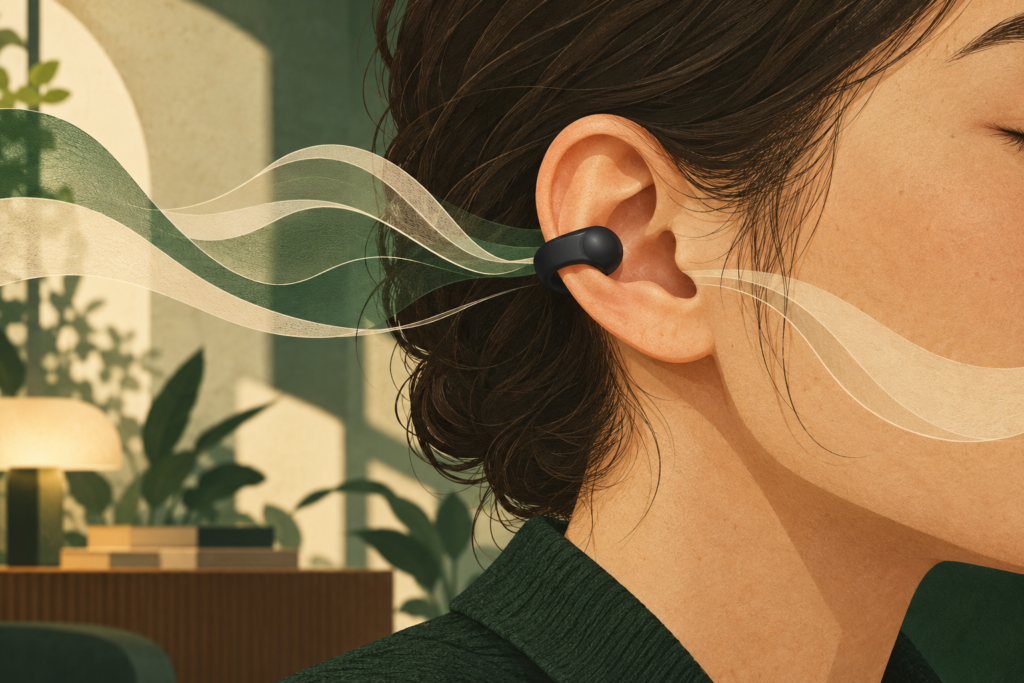
Samsung’s Galaxy Buds On are coming to the U.S. for people who want music without closing off their ears. Announced October 28, the clip-on earbuds will cost $229 in Black, with sales scheduled to begin in early November 2026. Samsung has not specified an exact date.
The appeal is easy to picture: a podcast while making dinner, background music while working near colleagues, or a call without an ear tip sitting in your ear canal. The question before spending $229 is whether that open fit solves a daily annoyance—and whether your phone supports the conveniences that help justify the price.
Choose them for the room you want to hear
Galaxy Buds On clip around the ear and keep the ear canal open. Samsung’s product page positions them for listening alongside conversations; its ANC-equipped Buds4 Pro serve situations where you want more isolation. As of October 29, that page still labels Buds On as coming soon.
Think about where you usually press pause or remove an earbud. If it is because someone nearby wants a word, an open design has an obvious purpose. If it is because the room is too loud to follow your audiobook, letting that room remain audible works against your goal. An airplane cabin and a quiet kitchen present very different listening problems.
Existing earbuds may already address occasional interruptions. Samsung’s Ambient sound guide explains that supported Galaxy Buds use external microphones to bring surrounding sound into your ears. Try that setting before buying another pair solely to hear conversations. The physical fit remains a separate consideration: turning on an ambient mode does not remove an ear tip.
A clip also deserves a fit check. Samsung says the design accommodates glasses. If you can try a pair, wear your usual frames and check pressure, stability and comfort while moving your head. A shape that avoids your ear canal still has to suit the rest of your ear.
Sound leakage control does a different job from ANC
Samsung’s U.S. announcement describes Audio Leakage Reduction, which projects reversed sound waves from behind the speaker to reduce escaping audio. Its target is what nearby people hear. That does not provide the wearer with the quieting effect promised by conventional noise-canceling earbuds.
The company’s own Buds On demonstration adds a useful qualification: leakage can vary with volume, ear shape, fit and surrounding noise, and can be more noticeable somewhere quiet. In a shared office, check what a nearby colleague can hear at your preferred volume. Reduced leakage should not be treated as a guarantee of private listening.
For calls, Samsung says Intelligent Clear Call uses three microphones, a vibration-sensing Voice Pickup Unit and machine learning to suppress noise in your outgoing speech. Initial setup requires settings or Samsung’s companion app on a compatible Galaxy device. Clearer outgoing speech would help the other caller; your own listening conditions remain a separate concern.
Likewise, Auto Volume changes playback loudness. Samsung says it raises volume in noisy surroundings and returns to your baseline when things quiet down. Consider whether you want that automatic adjustment; it cannot remove the environmental sound reaching an open ear.
Check the phone in your pocket before paying for gestures
Samsung lists Bluetooth 6.2 and an Android compatibility requirement of Android 12 or later with more than 1.5GB of memory. It warns that features vary by device, carrier and market. Meeting that baseline does not establish access to the Galaxy-specific functions below.
On a Galaxy phone, start with Settings > About phone > Software information, the route described in Samsung’s software support guide. Check the installed One UI version. Use the version you have now when deciding which features you can count on.
The announcement’s detailed footnotes divide the controls this way:
- Automatic volume adjustment: One UI 8.5 or later. Enable the experimental feature under Advanced features > Labs > Auto Volume.
- Nod to accept or shake to reject a call: Head Gestures require One UI 8.5 or later. They are off by default; enable them in phone settings.
- Dismiss alarms or have notifications read: One UI 9.0 or later. Alarm dismissal covers Samsung Clock, Reminder and Calendar. Enable Galaxy Buds notification reading for the relevant apps; supported apps vary by country.
Saving a thought requires Galaxy AI and two apps
Quick Voice Memo lets you hold an earbud and speak a note, then use Bixby to retrieve recordings. Samsung’s setup notes require a Galaxy AI-supported device, Samsung Voice Recorder and Bixby. The press-and-hold action must also be configured separately in Settings. Check that your Galaxy supports the feature before counting on it.
This is potentially useful for capturing a shopping item or a task before it slips your mind. Set up and try the complete sequence—recording, finding the saved note and playing it back—before relying on it while your phone stays in a pocket.
Gemini Live depends on the connected phone and account
Samsung advertises starting Gemini Live with “Hey Google, let’s talk live.” Its demonstration uses a Galaxy AI-enabled phone. The launch conditions require an eligible account for Gemini and internet access, with availability limited by device, app, language and country. Samsung specifies users 18 and older for this experience. Buying the earbuds does not bypass those restrictions.
Google’s headphone instructions add that Gemini must be the primary Google assistant on an eligible connected phone or tablet, with “Hey Google” and Voice Match enabled for voice activation. Google also describes a gradual rollout for supported headphones. Check the assistant setup on your phone before treating hands-free Live as a reason to buy.
The practical distinction is between using earbuds to reach a service and having that service independently inside the earbuds. Your account eligibility, phone settings and connection still matter. For an under-18 user or a trip without internet access, leave Live out of your buying decision.
Other Android phones and iPhones need a narrower expectation
Samsung describes Galaxy pairing and Quick Panel volume and EQ controls without installing Galaxy Wearable. Owners of other Android brands should confirm which settings and functions their phone supports before paying for capabilities demonstrated on a Galaxy.
For iPhone owners, there is a specific documentation gap. Samsung’s current iOS compatibility guide distinguishes Bluetooth music and calls from support in its iOS app, but its model list does not yet include Buds On. That omission does not prove pairing is impossible. It does mean the guide cannot confirm this model’s complete iPhone experience.
Before ordering for an iPhone, get model-specific confirmation of pairing, available controls and how to update the firmware. A successful Bluetooth connection answers only the first question. The value calculation changes if you want the open fit but cannot use the settings or voice features that caught your attention.
Battery life depends on whether you listen or talk
Samsung’s published specifications claim up to 9.5 hours of music per charge and 38 hours total with the case. Calls have lower ceilings: up to 5.5 hours per charge and 25 hours including case recharges. The 38-hour figure includes the earbuds’ charge; it is not 38 additional hours.
Those estimates come from Samsung’s internal tests with preproduction earbuds, a recent Galaxy smartphone and default settings. Usage, settings, Bluetooth signal strength and charging history can change the result. If your workday contains several long calls, the call estimate is the more relevant starting point. Allow room for your own mix of calls and music rather than planning around the maximum.
The earbuds carry an IP54 rating for dust and freshwater splashes; the case is not water resistant. Samsung advises against beach or pool use and says wet earbuds and hands must be dried before handling or charging. Plan around those limits if these will become your exercise pair.
The case supports wireless charging, according to the product FAQ, with wireless chargers and charging cables sold separately. Check what charging equipment you already own when considering the $229 price.
Buy the open fit for a problem you actually have
Galaxy Buds On make the most sense if you routinely want audio while remaining receptive to the people around you, or want to avoid wearing tips inside your ears. Before their early-November U.S. arrival, check your phone’s actual software and the requirements for the two or three hands-free actions you expect to use.
If your current ANC earbuds already handle both focused listening and brief conversations comfortably, there is less reason to rush. The useful comparison is how often a physically open fit would improve your day. Let that answer lead, then decide whether the phone-dependent extras justify another pair.