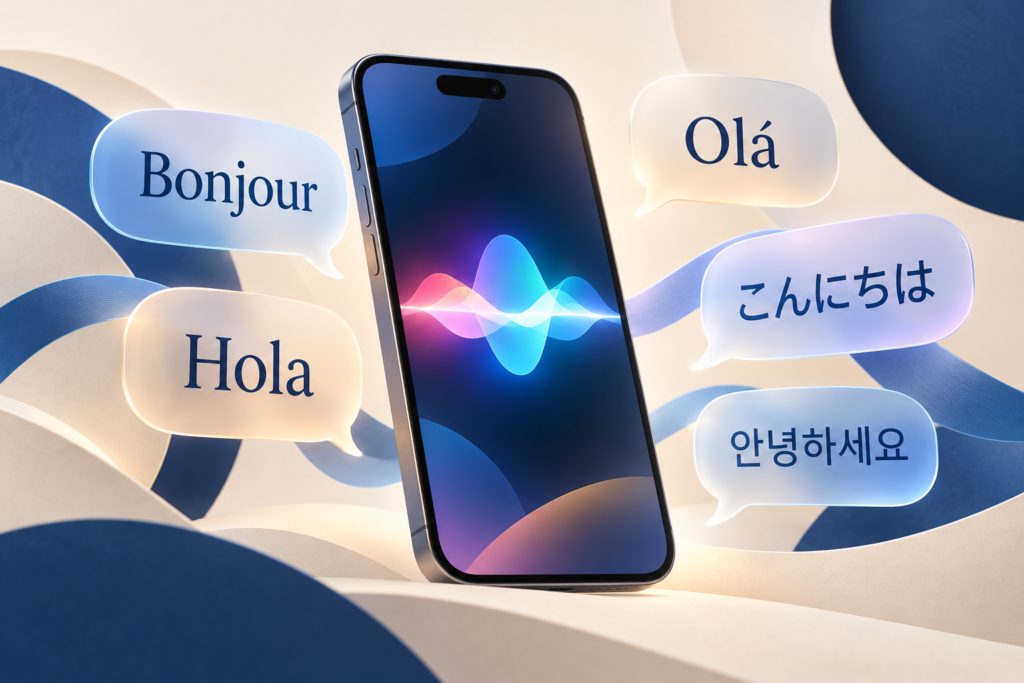
Apple expanded Siri AI to French, Japanese, Korean, Portuguese, and Spanish with the October 26, 2026 release of iOS 27.2. The five languages join English, giving owners of compatible iPhones a way to use the new assistant in their everyday language, according to Apple’s launch announcement.
For someone who has been waiting to ask about a message, find a forgotten reservation, or draft an email without switching to English, this is a reason to revisit Siri’s settings. There are still several checks to make first: Siri AI remains a beta feature, needs an Apple Intelligence-capable iPhone, and is still unavailable on iPhone in the European Union. Installation and activation are separate steps.
What changes on your phone
The practical attraction is retrieving information without remembering where you put it. In its Siri AI user guide, Apple describes finding travel details in email or Calendar, locating older photos, and asking questions about an image or PDF on the screen. Writing assistance can produce a draft, summarize information, or suggest revisions. The dedicated Siri app lets you return to an earlier conversation.
Those capabilities are most useful when information is scattered across your phone. Asking for a detail from a trip could save you from opening several apps and guessing a search term. Check that Siri found the right reservation or document before relying on the answer.
There are also improvements for people already using Siri AI in English. Apple’s iOS 27.2 release notes say Siri can recall previous conversations, such as restaurant recommendations it gave last week. It can draw on photos attached to Messages, Calendar attendees, and voicemail, with improved retrieval from Safari history and Reading List. You can also select and copy just part of a response. These are additions in 27.2; the broader personal-context and onscreen capabilities arrived with the earlier iOS 27 release.
Does your iPhone qualify?
Start with the model, then check the software and language settings. Apple’s Siri AI eligibility and setup instructions require compatible hardware, matching device and Siri languages, and an Apple Account in an eligible region.
| Check | What you need |
|---|---|
| iPhone model | iPhone 15 Pro or iPhone 15 Pro Max; all iPhone 16 models and later; iPhone Air; or iPhone Duo. |
| Software | iOS 27.2 for the five newly added languages. |
| Language | The iPhone’s primary language and Siri’s language must be the same supported language. |
| Account and region | An eligible Apple Account region, subject to the geographic restrictions below. |
| Age | Siri AI is unavailable to users younger than 13. |
The regular iPhone 15 and iPhone 15 Plus are outside that hardware list, as are older iPhones. Being offered iOS 27.2 does not mean a phone can run Siri AI: Apple’s software release record lists a much wider range of iPhones for the operating-system update. It also confirms that 27.2 was released on October 26. You can install the released update through normal Software Update; Siri AI’s beta label does not require enrolling in an iOS beta program.
Siri AI has a narrower language list than Apple Intelligence
Apple Intelligence powers tools across the phone, including photo editing and writing assistance. Siri AI has its own availability rules. Apple’s Apple Intelligence language list includes German and Italian; neither is on the assistant’s current list. Other AI features working in your language do not guarantee Siri AI support.
For Siri AI itself, the currently supported languages are English, French, Japanese, Korean, Portuguese, and Spanish. Apple plans to add Traditional Chinese, Norwegian, Turkish, and Vietnamese by year-end. Those four remain future additions as of October 28, with no individual release dates given.
Voice customization has further limits. The current Siri AI user guide lists Expressive Voices, which let you adjust speaking pace and expressiveness, as English-only with American and British voices. Apple’s voice-setting requirements also specify newer hardware: iPhone Air, iPhone Duo, iPhone 17 Pro or Pro Max, or iPhone 18 Pro or Pro Max. An iPhone 15 Pro qualifies for Siri AI without qualifying for those voice controls.
French support does not mean an EU iPhone launch
Siri AI remains unavailable in the EU on iOS, iPadOS, and watchOS. The current Siri AI guide retains that restriction alongside the expanded language list. An iPhone owner in France, Spain, or Portugal should not interpret the new languages as a local launch. Other Apple Intelligence features remain available on eligible EU iPhones.
Mainland China has additional restrictions. Apple’s Siri AI setup guide says the assistant will not work with an Apple Account whose region is mainland China. Separately, the Apple Intelligence support guide says its features are unavailable on supported devices purchased in mainland China. For devices purchased elsewhere, Apple Intelligence is unavailable when both the user’s location and Apple Account region are mainland China. If your iPhone was imported, its purchase market matters as well as its settings.
Set it up, then let the downloads finish
Once your model and region qualify, use the phone’s settings to update and opt in. The language match is especially important if you previously set Siri to English while keeping the rest of your iPhone in another language.
- Install iOS 27.2. Back up the phone, connect it to power and Wi-Fi, and open Settings > General > Software Update. Apple’s update instructions explain the standard installation process.
- Match the two language settings. For the iPhone, use Settings > General > Language & Region; add your language if needed and make it the primary language, following Apple’s device-language instructions. Then use Settings > Siri > Language to select the matching language. Apple documents that separate control in its Siri language guide.
- Opt in to Siri AI. Open Settings > Siri and choose Try Siri AI (Beta). If Siri is off, select Turn On Siri first. Follow the prompts to choose a voice, complete voice enrollment, and review privacy settings.
- Allow time for activation. Apple’s setup process includes a waitlist with variable waiting times. The Siri AI download begins automatically when your wait ends. Finishing the iOS update does not guarantee immediate access to the assistant.
Apple’s AI storage requirements specify up to 14 GB on iPhone Air, iPhone Duo, and iPhone 17 Pro and later Pro models, and up to 8 GB on other eligible iPhones. Model replacement can temporarily use more space. Changing Siri’s language can interrupt Apple Intelligence availability until the new language downloads and matches the device language.
If the phone qualifies but Siri AI is restricted, check Screen Time’s Siri controls under Settings > Screen Time > Content & Privacy Restrictions > Siri. They can allow classic Siri while blocking Siri AI, or restrict individual capabilities. These controls do not override the minimum age or regional requirements.
Check app access before relying on personal answers
Before asking Siri to work across your personal information, review Settings > Siri > Excluded Apps. Apple’s Siri settings guide says apps are included by default. Choose Add Apps to exclude ones you do not want accessed. The trade-off extends beyond the assistant: excluded apps are also unavailable to Search and suggestions. If information stops appearing in those places after you change this setting, revisit the exclusion list.
Permission is only one part of app support. Developers must make an app’s specific content and actions available to Siri, as Apple explains in its app integration guidance. An app may support some actions and leave others unavailable. Installing 27.2 or choosing Spanish cannot supply a missing integration.
If your main goal is to use Siri with a particular mail, calendar, or messaging app, check that app’s documentation and try the specific action you need. Being able to ask about something visible on the screen is not proof that Siri can complete every task inside the app. Review the resulting draft, event, or message before relying on it.
Cloud requests have limits
Siri AI is not entirely an offline assistant. Apple’s privacy documentation says requests can run on the device or through Private Cloud Compute. For current information, Siri can search the web and use cloud processing to formulate a response. Apple says data processed in Private Cloud Compute is not stored or accessible to the company. Downloading the language models therefore does not eliminate the need for internet access for cloud-dependent requests.
Apple’s October 26 rollout notice specifies daily limits for server-dependent features, including Siri AI. Limits can vary with the feature, the complexity of a request, demand, and other policies. Apple does not give a fixed number of Siri requests or an exact reset time in that notice or its usage terms.
The Apple Intelligence Usage Terms say an affected feature may become unavailable or have reduced functionality until its allowance resets; other device features remain usable. Apple has also announced paid expanded access for the future, without a price or launch date. Do not plan around unlimited use or assume there is already a paid option to remove a limit you encounter.
For an eligible owner whose language has just been added, a useful first step is a small task you can verify: find an existing item, ask about a document on the screen, or prepare a short draft. Check whether Siri finds the right information and whether your chosen apps support the next action. That will tell you more about the value of this update on your current phone than the language list alone.